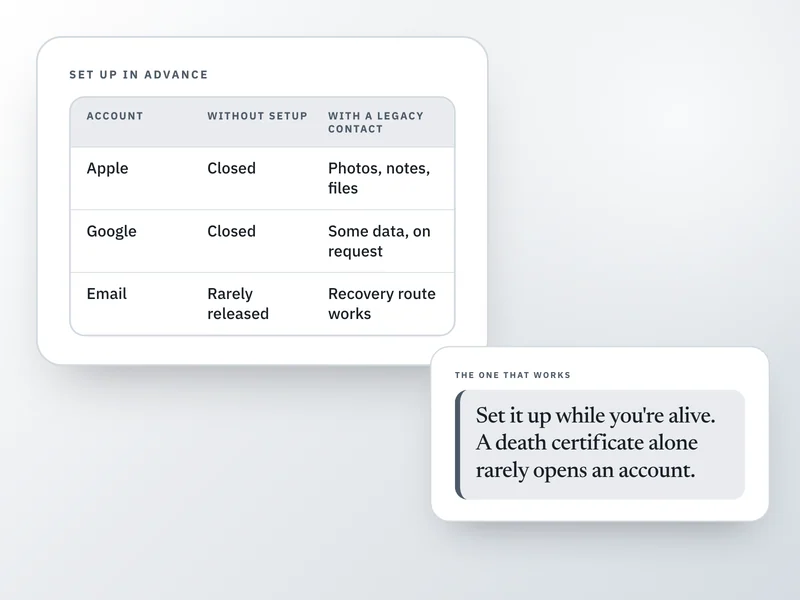
After someone dies, a family member usually can't just log in to their email, photos or social accounts. Some providers will close an account on request. A few will hand a narrow set of data to a person the account owner named in advance. Very few will hand over full access on a death certificate alone.
This is written for the United States, and the rules differ by provider and by state. It can't get you into a locked account; it can only say what tends to work, what tends not to, and what's worth setting up now, for yourself.
Example: the phone that locks everyone out
Say a father dies and his phone is the way into almost everything: the bank's two-factor codes, the email that resets every other password, the photos no one backed up anywhere else. No one has his passcode, and after a handful of wrong guesses the phone locks itself further. Nothing on it is unrecoverable by policy alone; it's unrecoverable because no one wrote down how to get in. (An illustration, not a case.)
What providers tend to do
General patterns for major US providers, current as of this writing. Confirm with the provider directly, since policies change.
Email
- Usual outcome without advance setup
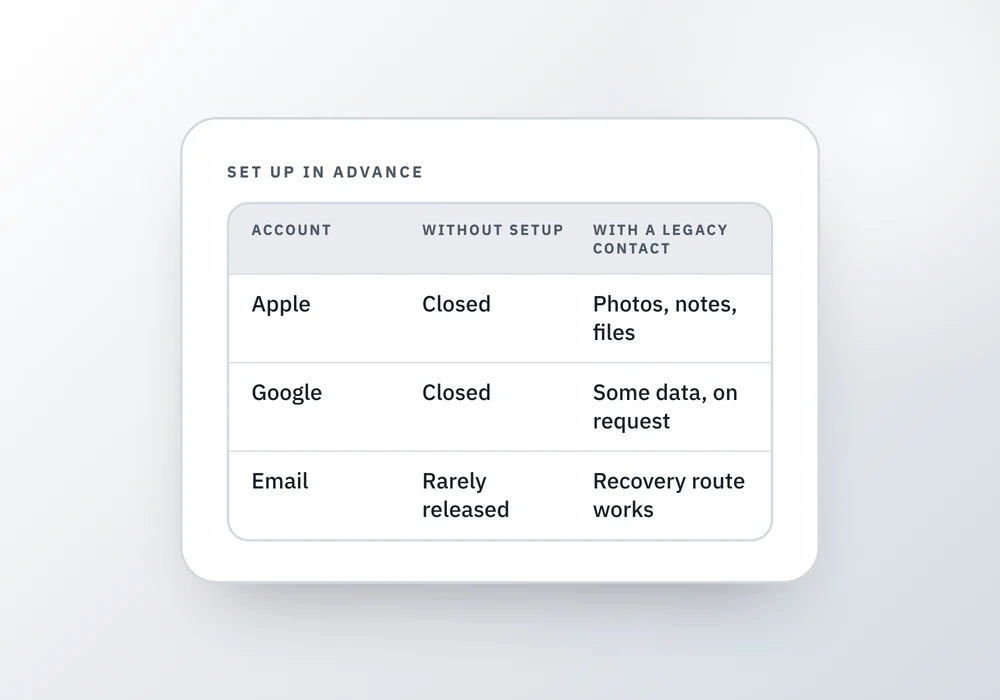
- Rarely handed over. Sometimes closed on request with a death certificate.
- What actually helps
- A password manager's own recovery route, so someone can reset it
Apple Account (iCloud, photos)
- Usual outcome without advance setup
- Closed or left inactive; content generally not released
- What actually helps
- A Legacy Contact, set up in Settings before death
Google Account (Gmail, Photos, Drive)
- Usual outcome without advance setup
- Closed after inactivity; limited data may be released
- What actually helps
- Inactive Account Manager, set up in advance
Social media
- Usual outcome without advance setup
- Memorialized or deleted; content rarely released in full
- What actually helps
- A legacy contact or memorialization setting, where offered
Subscriptions
- Usual outcome without advance setup
- Cancelled on request with a death certificate
- What actually helps
- Knowing they exist at all
Cloud storage
- Usual outcome without advance setup
- Varies by provider, often refused without a court order
- What actually helps
- A shared folder set up while the owner was alive
Cryptocurrency
- Usual outcome without advance setup
- Unrecoverable without the private keys
- What actually helps
- Nothing after the fact; only advance preparation
| Account type | Usual outcome without advance setup | What actually helps |
|---|---|---|
| Rarely handed over. Sometimes closed on request with a death certificate. | A password manager's own recovery route, so someone can reset it | |
| Apple Account (iCloud, photos) | Closed or left inactive; content generally not released | A Legacy Contact, set up in Settings before death |
| Google Account (Gmail, Photos, Drive) | Closed after inactivity; limited data may be released | Inactive Account Manager, set up in advance |
| Social media | Memorialized or deleted; content rarely released in full | A legacy contact or memorialization setting, where offered |
| Subscriptions | Cancelled on request with a death certificate | Knowing they exist at all |
| Cloud storage | Varies by provider, often refused without a court order | A shared folder set up while the owner was alive |
| Cryptocurrency | Unrecoverable without the private keys | Nothing after the fact; only advance preparation |
Legacy contacts are the part that actually works
Apple and Google both let you name someone in advance who can request a defined set of your data after you die. It takes a few minutes, it's free, and among everything in this guide, it's the step most likely to actually get someone in.
On Apple, adding a Legacy Contact generates an access key; that person later needs the key plus a death certificate to request account data such as photos, messages, notes, files and device backups. Purchased media like movies, music and books, and anything in iCloud Keychain such as saved passwords, stays out of reach even for a Legacy Contact. On Google, Inactive Account Manager lets you choose how long the account has to sit untouched, who gets notified, and what data, if any, they can download; Google contacts you first, and only messages a trusted contact if you don't respond.
What an executor can get without your advance consent
Most states have adopted some version of a law that lets an executor request a deceased person's digital records from a provider. Without your prior consent, on many platforms that typically means a catalogue: who a message was sent to or from, the date, the subject line, not the content of what was said.
Getting the actual content, the words in an email or a message, generally needs either your advance authorization (a legacy contact tool counts) or a court weighing in. A death certificate and paperwork naming someone executor, on their own, usually isn't enough for a provider to hand over content.
Set this up now, for yourself
None of this takes long, and each one only has to be done once.
6 things to do
Ticks are for this visit only. Nothing here is saved anywhere.
What can go wrong
- The main email account gets closed too early. Closing it before every other account has been checked can break the password-reset route into everything else.
- A Legacy Contact is set up, but the account holder never told them, and the access key was never saved anywhere findable. The setting only helps if the key survives.
- Subscriptions keep charging a card for months because no one knew they existed. Bank and card statements are usually the way they surface.
- Someone assumes a death certificate and proof of being the executor is enough to get into an email account. For most providers, it is not.
Questions people ask
Can a family member get into a deceased person's email account?
Usually not by simply asking. Most providers won't hand over login access, even with a death certificate. What tends to work is a recovery route the person set up in advance, such as a password manager's own recovery process, or, on some providers, a legacy contact who was named before death.
What is a legacy contact, and how do I set one up?
It's someone you name in advance who can request a defined slice of your account data after you die. On an Apple device, it's under Settings, Sign-In and Security, Legacy Contact. On a Google Account, it's called Inactive Account Manager, set up at myaccount.google.com. Both take a few minutes and are free.
Can an executor read someone's emails or text messages after they die?
Generally not without the deceased person's advance consent, such as a legacy contact setting, or a court order. Most states let an executor request records from a provider, but that typically means a catalogue of who messaged whom and when, not the actual content of what was said.
What happens to photos stored in the cloud after someone dies?
It depends on the provider and on what was set up beforehand. Apple's Legacy Contact can access photos with the access key and a death certificate. Without that kind of advance setup, cloud photo libraries are often the hardest thing to recover, which is why it's worth writing down where yours actually live.
Should I close a deceased person's accounts right away?
Not the main email address, at least not first. It's usually the way into everything else through password resets, so check it last. Subscriptions and accounts that are clearly costing money are the ones worth cancelling early, once you have the death certificate a provider is likely to ask for.
Where a Companion helps
Personal Life Affairs Companion has six digital steps: making sure someone else can get into your phone, the main email address everything is registered to, where a password manager's recovery instructions are kept, which paid accounts exist, a reminder to set a legacy contact where one's offered, and where your photographs actually live. It records where things are, never the passwords or the access keys themselves.
For the money side of a search, how to find someone's bank accounts, pensions and policies covers what to look for once someone has died; this guide is about the digital accounts that search doesn't reach.
Sources and how we checked
- Apple Support: How to add a Legacy Contact for your Apple Account: What a Legacy Contact can and can't access, the access key, and the death certificate requirement.Checked 26 September 2026.
- Google Account Help: About Inactive Account Manager: How Google's Inactive Account Manager decides inactivity, notifies the owner first, and what trusted contacts can receive.Checked 26 September 2026.
- LegalClarity: Revised Uniform Fiduciary Access to Digital Assets Act (RUFADAA): The catalogue-versus-content distinction for what an executor can get from a provider without the deceased person's prior consent, and that most states have adopted some version of the law.Checked 26 September 2026.
Where to go next
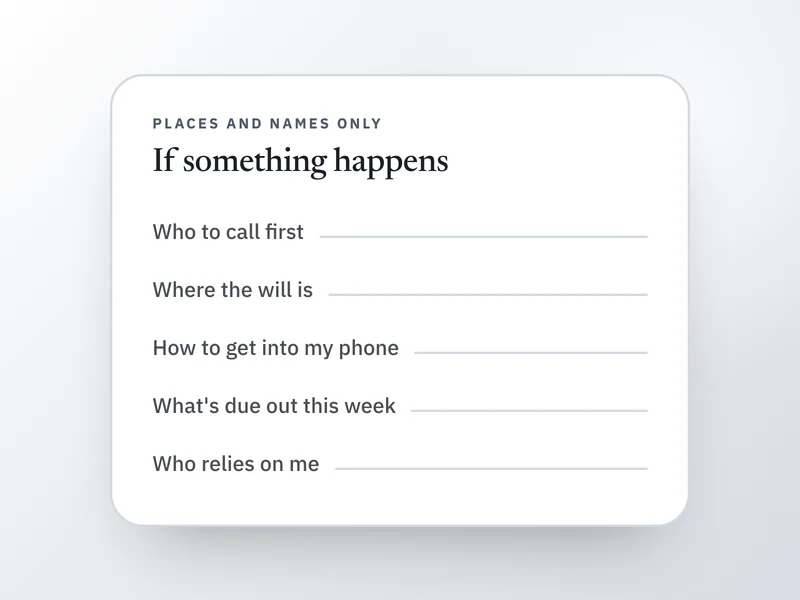 If this is where you areWhat to write down in case something happens to meTo leave a usable record of logins and devices, start with this short list of what to write down.
- How to find someone's accounts after they die
For money rather than photos, this shows how to trace accounts, pensions and policies.
- Who to notify when someone dies, in order
Closing accounts is part of notifying, and this gives the order of who to tell.
- The if-something-happens-to-me file: what goes in it
To store the setup somewhere a trusted person can find it, use this file.