Today, grouped by child, never interleaved
Today
What we are doing today.
Emma
0 of 4 recorded
Reading
Chapter 6
Math
Fractions, Unit 4
Worth going over again. Last time you said this was difficult.
Noah
Nothing scheduled today.
Homeschooling Companion
A printed handbook and an app that remembers. You decide what your children learn; this keeps track of what you actually did, tells you the next useful thing, and helps you check whether it landed.
One payment. Yours for life.
Only you can see your data. It saves to your account, on every device.
What you end up with
- What to do today, per child, with where each thing came from
- A dated record of what was actually done
- Per topic results from a check, including where there was not enough to say anything
- A printable record for one child, and a 30 page book you keep
- Delivery
- In your account the moment you pay
- Runs on
- Any browser, or installed as its own app
- Renews
- Never. One payment, kept for good
On your devices
It works like an app, without an app store.
Homeschool runs in your browser, and installs to your phone from there. No App Store, no Play Store, no download, and no update to remember. Add it once and it gets its own icon and its own window, like any other app on your phone.
On iPhone and iPad
Open it in Safari, tap Share, then Add to Home Screen. It opens full screen from then on, with no browser bar.
On Android
Chrome offers to install it, or you can tap Install in the product's own settings. One tap and it is on your home screen.
On computers
It works in any modern browser as it is. Chrome and Edge will also install it as its own desktop window if you would rather it were not a tab.
- The Homeschool Year: a 30 page printed book, yours to keep and print as often as you like
- Six chapters of method: running a week, what to record, and what to change when a subject stops moving
- Undated working pages: year planner, weekly plan, daily log, subject record, reading log, and days schooled
- Six printable check sheets of eight questions each, answer key kept at the back where the child can't read it
- The app: unlimited children, each with their own curriculum, subjects, plan and checks
- A starting outline built from your own answers, editable in full
- A curriculum-neutral list of 71 topics, so a check reflects what your child was actually taught
- My Homeschool Record: a printable record per child, generated on your own device
- Your state's record keeping requirements, set line by line against what you've recorded
- A private, real account, not a shared demo
Works in any modern browser · No download required
What this solves
The teaching is not usually the hard part. The hard part is that by March you cannot remember what you covered in October, you are not sure the fractions ever stuck, and if somebody asked you to account for the year you would be reconstructing it from memory and a pile of undated worksheets. Most homeschool record keeping fails in one of two directions: nothing at all, or a system so heavy it is abandoned by half term.
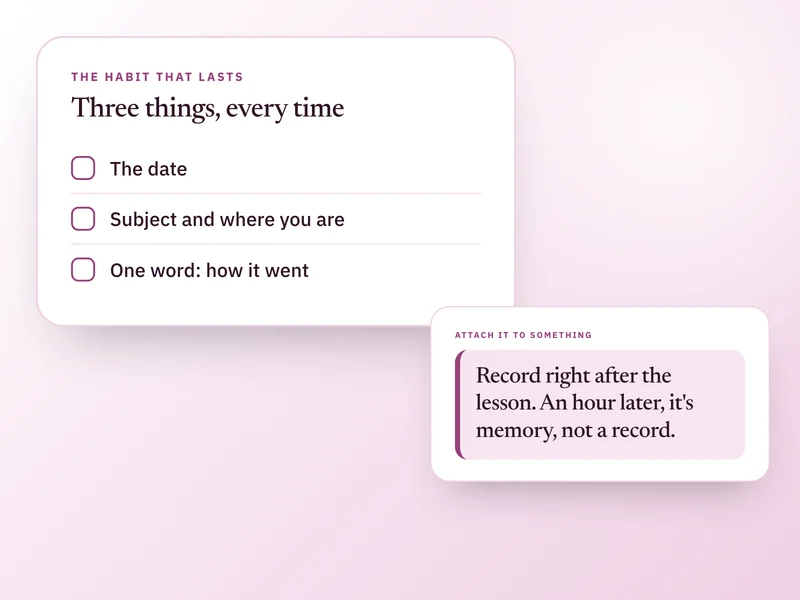
A record of what you actually did, kept as it happened, that you could hand to somebody at year's end.
Which of these sounds like you?
Maybe not for you if
- You want a curriculum. This is not one and never becomes one. It has no lessons, no scheme of work, and no opinion about what your child should know.
- You want lesson content, worksheets, or a subject library. Deeper subject material is a separate thing that does not exist yet.
- You want your curriculum PDF read and turned into a plan automatically. Nothing here parses a document. You type the name and where you are, which takes about thirty seconds.
- You want your children to log in and do work themselves. The parent runs everything; children have no accounts.
- You want standardised testing, or anything that reports your child against a year group or a national expectation. It refuses to do that on purpose.
Show 2 more reasonsShow fewer reasons
- 1Add a child. Name, age, how they are schooled. Three questions, and the age is only ever an age: no birth dates are stored anywhere in this product.
- 2Say whether you already follow a curriculum. If you do, name it and say where you are, in your own words, like Unit 3, Lesson 12. If you have your own plan, name your subjects instead. If you have no idea yet, it will put together a starting outline you can change or throw away.
- 3Set how often each subject runs. This is the only thing that decides what turns up each day, and zero days is allowed.
- 4Today shows what is scheduled, grouped by child, with where each thing came from: your curriculum, your plan, or a suggestion. Nothing scheduled means nothing shown.
Show the other 5 stepsShow fewer steps
- 5Mark something done in one tap. It will ask how it went, and skipping that changes nothing except that a difficult session comes back to be gone over again next time.
- 6Tick what each child is actually covering, from a list of curriculum-neutral topics. Five seconds, and it is the only thing that lets a check be about what they were really taught.
- 7Run a check when you want one. You supply the questions, from your own head, your curriculum's own tests, or the printed check sheets, and it keeps them for next time.
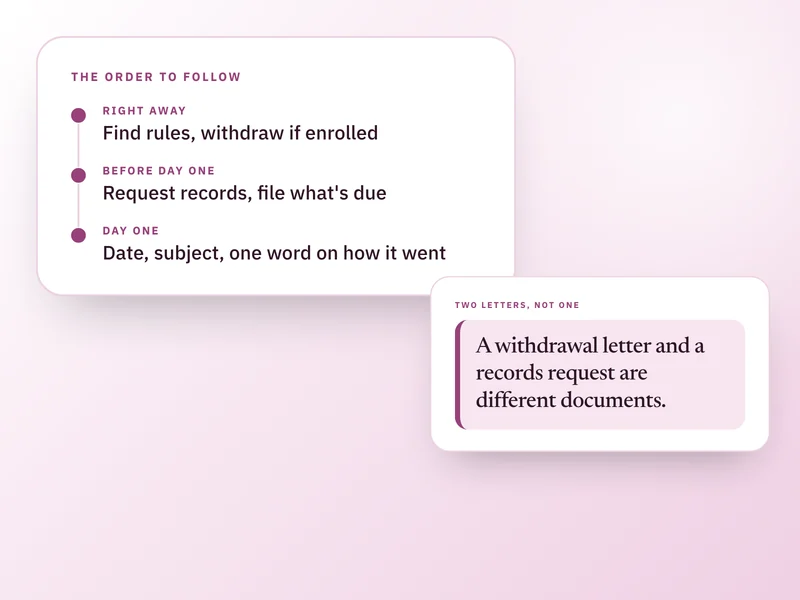
- 8Name the state you homeschool in and the printed record carries what that state asks you to keep, each line set against what you have actually recorded.
- 9Print the record whenever somebody needs it, or nobody does.
Been burned by a homeschool planner you abandoned in October?
Most fail because they ask for a plan before they give you anything. This works from whatever you give it, including nothing: record what you actually did and it is already useful. No percentage, no streak, and no screen measuring you against your own plan.
Will it tell me what to teach?
No, and it is built so that it cannot. The printed book has no curriculum in it and the app organises what you are already teaching. If you ask for a starting outline you get one, labelled a suggestion, editable in full, and ignorable forever.
Can I use it with the curriculum I already have?
That is what it is for. Name it, say where you are in your own words, and everything organises around that. It never restates your curriculum, checks it, or offers an opinion on it.
Does it read my curriculum PDF?
No, and it does not pretend to. Naming it and typing where you are takes about thirty seconds and is more accurate than anything a machine would infer from a publisher's layout.
How can it check my child if it has no lessons?
It does not test anybody. You supply the questions, from your own head, your curriculum's own tests, or the printed check sheets, and you mark them. What it supplies is the structure: which topics your child has been working with, how many answers are enough to say anything, and where there are fewer than four it says there is not enough to say. It never produces a score.
Will it compare my child against a year group?
No, and it refuses to on purpose. There is no single sequence to measure against: four families on one street with four curricula are on four different ones. The only comparison it ever makes is the same child, on the same topic, a few weeks earlier.
Does it know what my state requires me to keep?
It carries a broad regulation level and a one-line summary for every US jurisdiction, and for the states that ask for more it sets each requirement against what you have recorded on your printed record. It is a summary, not a citation, and laws change: worth checking at the source.
How many children can I add?
As many as you teach. Each has their own curriculum, subjects, plan, record and checks, never mixed together. Today is the only screen where they share a page, grouped separately.
Do my children need accounts?
No, and they cannot have one. You run everything, which is also why there is no consent flow to deal with. It stores an age, never a date of birth.
Is the book worth having on its own, without the app?
It is meant to be. Thirty pages: six chapters of method, undated working pages you print all year, and photocopiable check sheets. It works with a pencil and nothing else. The app does the part paper cannot: keeping three years of it and printing a record on demand.
Is this a one-time purchase, and do I need an account?
One time, including the book, and yes. A Draftpace account is what keeps your records private and available wherever you next sign in.
What happens to my data?
This product holds information about children, so it holds as little as it can. It stores an age and never a date of birth. A child's name is included in anything you print, because a record needs to say whose it is, and everything else starts out excluded until you say otherwise, one record at a time. Notes you keep private are never printed, whatever else you include. The printed record is generated in your own browser, so the assembled picture of your child's education never reaches a server. Nothing here is read by an AI model, and no model provider is involved anywhere in this product. Children do not have accounts and cannot sign in. Nothing here is legal advice: what records you are required to keep depends on where you live and is worth checking at the source.
What's your refund policy?
Homeschooling Companion is a digital product delivered the moment your payment clears, so there are no refunds once access is granted. If something is not working, is not what you understood it to be, or you were charged in error, write to us and we will put it right.
Contact support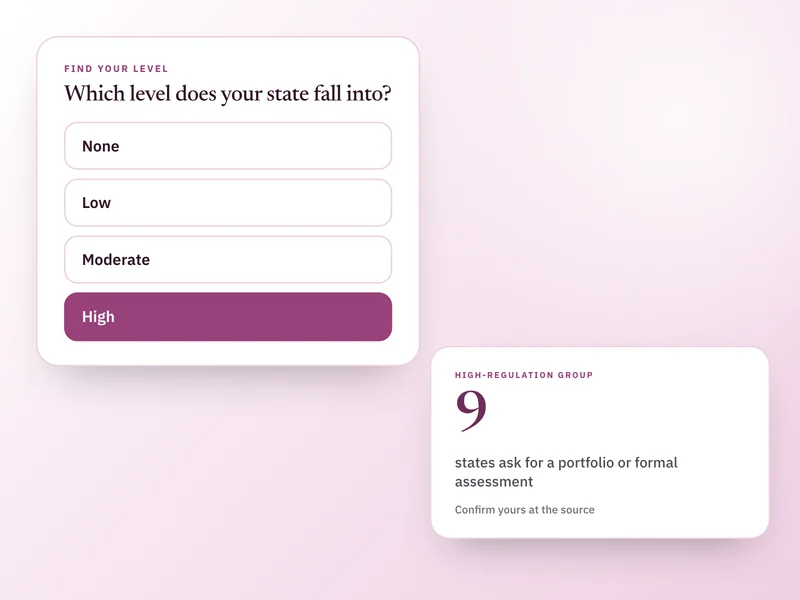
Buy it once. Keep it for good.
No subscription, no renewal, no upsell later. One payment and Homeschooling Companion is yours, on every device you sign in on.
51% off $69. Digital product, no refunds once access is granted.