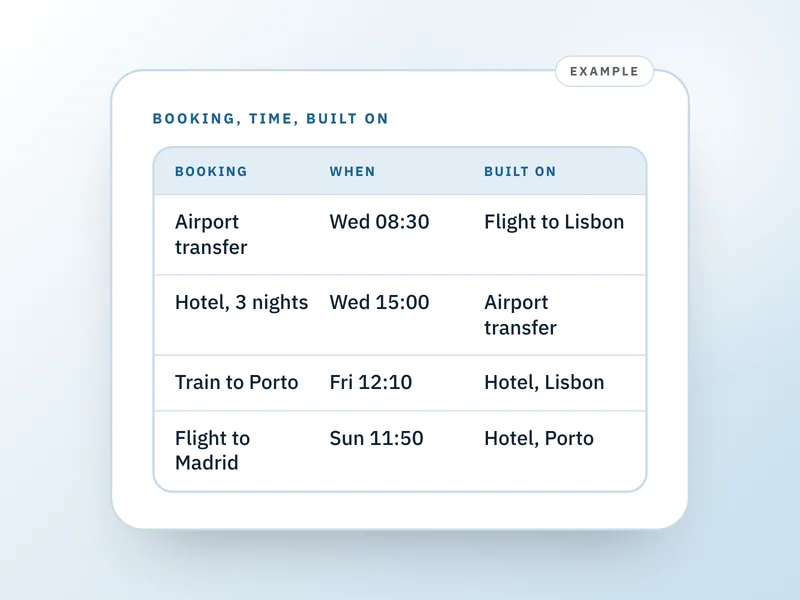
For each booking on a multi-stop trip, record four things: what it is with its reference, when it starts and ends, which stop it belongs to, and what it was booked around. Put one booking on each line, in time order. The fourth item is what a spreadsheet leaves out.
This is for a trip with three or more stops and more than a handful of bookings, planned by one person. It doesn't pick your route, price it or split costs, and it doesn't cover a single-destination trip.
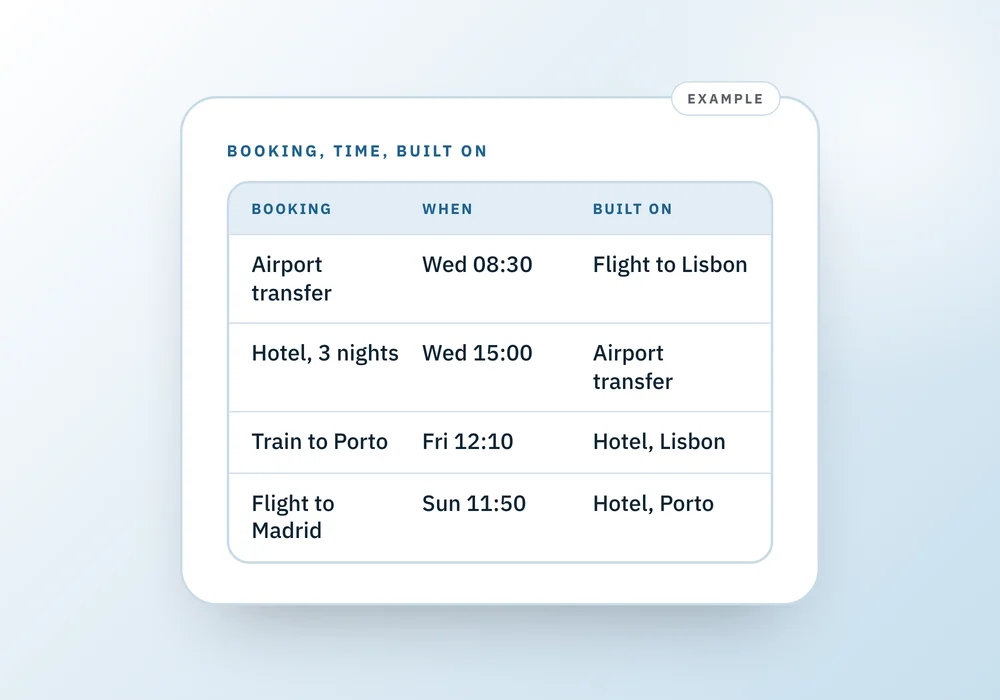
Example: two weeks, three stops
Say you're flying from New York to Lisbon, taking a train to Porto, then flying to Madrid and home. You have a flight, a hotel and a tour in Lisbon, a train and a hotel in Porto, a flight to Madrid, a hotel and a dinner in Madrid, and the flight home. That's ten bookings, and most of them only make sense because of another one.
The record, one line per booking
An illustration with invented references. Read down the fourth column and you can see the chain.
10 of 10 rows shown
Flight to Lisbon
- When (local time)
- Tue 18:40
- Stop
- Lisbon
- Built on
- Nothing
- Ref
- K7QD2M
Airport transfer
- When (local time)
- Wed 08:30
- Stop
- Lisbon
- Built on
- Flight to Lisbon
- Ref
- TR-118
Hotel, 3 nights
- When (local time)
- Wed from 15:00
- Stop
- Lisbon
- Built on
- Airport transfer
- Ref
- 30291
Tram tour
- When (local time)
- Thu 09:30
- Stop
- Lisbon
- Built on
- Hotel, Lisbon
- Ref
- T-5520
Train to Porto
- When (local time)
- Fri 12:10
- Stop
- Porto
- Built on
- Hotel, Lisbon
- Ref
- P4471
Hotel, 2 nights
- When (local time)
- Fri from 15:00
- Stop
- Porto
- Built on
- Train to Porto
- Ref
- 88412
Flight to Madrid
- When (local time)
- Sun 11:50
- Stop
- Madrid
- Built on
- Hotel, Porto
- Ref
- V3XK9P
Hotel, 4 nights
- When (local time)
- Sun from 14:00
- Stop
- Madrid
- Built on
- Flight to Madrid
- Ref
- 57730
Dinner
- When (local time)
- Mon 21:00
- Stop
- Madrid
- Built on
- Hotel, Madrid
- Ref
- Mesa 41
Flight home
- When (local time)
- Thu 10:15
- Stop
- Madrid
- Built on
- Hotel, Madrid
- Ref
- Q9L2WT
| Booking | When (local time) | Stop | Built on | Ref |
|---|---|---|---|---|
| Flight to Lisbon | Tue 18:40 | Lisbon | Nothing | K7QD2M |
| Airport transfer | Wed 08:30 | Lisbon | Flight to Lisbon | TR-118 |
| Hotel, 3 nights | Wed from 15:00 | Lisbon | Airport transfer | 30291 |
| Tram tour | Thu 09:30 | Lisbon | Hotel, Lisbon | T-5520 |
| Train to Porto | Fri 12:10 | Porto | Hotel, Lisbon | P4471 |
| Hotel, 2 nights | Fri from 15:00 | Porto | Train to Porto | 88412 |
| Flight to Madrid | Sun 11:50 | Madrid | Hotel, Porto | V3XK9P |
| Hotel, 4 nights | Sun from 14:00 | Madrid | Flight to Madrid | 57730 |
| Dinner | Mon 21:00 | Madrid | Hotel, Madrid | Mesa 41 |
| Flight home | Thu 10:15 | Madrid | Hotel, Madrid | Q9L2WT |
The method
- List the fixed points first: anything with a reference and a time. Flights, trains, stays, tours and reserved dinners. Leave the open days open.
- Put them in time order, not by stop. The order you'll live them in is the order you'll need them.
- Give each one a line with four things: what it is and its reference, when, which stop it belongs to, and what it was booked around.
- For the last one, write only the single thing that would make this booking wrong if it moved. A transfer is built on a flight. A check-in is built on the transfer.
- Add each booking after the one it depends on, so the chain reads top to bottom.
- Copy the references onto one page you can read in three seconds. See how to write a one-page trip itinerary for the layout.
Time zones across stops
Write every time as the local time where it happens, and put the zone once beside each stop, not on every line. In the example, Madrid is an hour ahead of Porto. A flight that leaves Porto at 11:50 and takes about an hour and a quarter lands at 14:05 by Madrid clocks, and it's the arrival that gets misread if you write 13:05. Note the zone at each stop, convert once where two stops meet, and write the difference down.
When one thing moves
The fourth column earns its keep here. If the flight to Madrid moves to 14:20, look at what's built on it: the Madrid hotel, and below it the dinner. The Porto hotel and everything before it are unaffected, because earlier bookings don't depend on later ones. The full method is in what else your trip depends on.
One page per stop
If ten lines becomes forty, split the record by stop and keep a summary page on top with only the flights and trains that link the stops. Each stop page is short enough to hold in your head, and the summary shows the seams. That's about as far as this method needs to go.
What can go wrong
- You skip the fourth column because you can remember it. You can, until you're at a gate at 06:00 and it's the sixth change.
- You plan every hour of every day. A schedule like that is wrong by day three. Record the fixed points and leave the rest open.
- You order the list by stop, so one stop's bookings sit together and a train that leaves the next day is separated from its hotel. Sort by time.
- Several people on different legs. Add a name to each line, as how to plan a group trip does.
- One stop needs a visa or documents the others don't. Note it on that stop's line and check what to carry and where to note it.
Questions about planning a multi-stop trip
How do I plan a multi-stop trip?
Start with the fixed points that have a reference and a time. Put them in time order, then give each one a line saying what it is, when it happens, which stop it belongs to and what it was booked around. Leave the unbooked days open. Add a one-page summary you can carry once the bookings are settled.
What's the best way to organize a multi-city trip without a spreadsheet?
Use one list, one booking per line, with four things on each: what it is with its reference, when, which stop, and what it depends on. A note or a document works, as does paper. The part that counts is the dependency column, which a plain spreadsheet usually doesn't have and which tells you what to check when something moves.
How do I handle different time zones across stops?
Write each time as the local time where it happens, and note the zone once beside the stop. Avoid converting times while you're planning. Convert only when two stops touch, such as a flight that leaves one zone and lands in another, and write the difference beside that line so you don't redo it later.
In what order should I book the legs?
Book the ones that constrain the others first, usually the flights and trains between stops, then the stays that fit around them, and last the reserved activities. If something can't change, mark it. You can keep the order of stops flexible until the first fixed booking is made.
Where should I keep all the confirmations?
Keep the references in one place you can read in seconds, not across six inboxes, and keep a paper copy of the page in case your phone fails. The references are what you'll need at a desk or a gate, and the full emails can stay where they are.
Where a Companion helps
Travel Companion holds the same four things per booking: kind, title and reference, start and end times, the stop it belongs to, and one booking it depends on. Add the earlier booking first, because you choose what a booking depends on only when you add it. Record a change on a booking's time and it shows the bookings downstream, unchanged so far. It's one trip per account, times are kept as you type them, its city list for time zones is short, and dates show in day-month order with 24-hour times. Most fields can't be edited after you add them. The trip book is blank paper you fill in by hand.
Where to go next
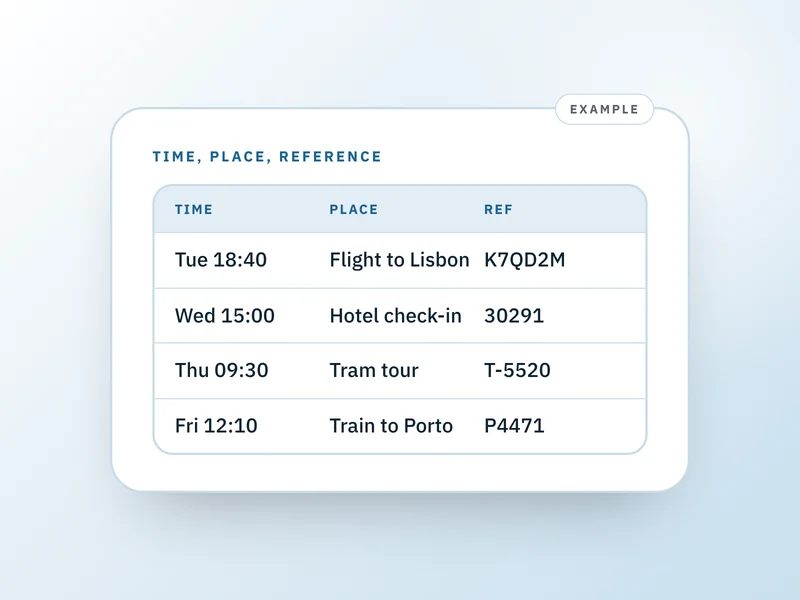 If this is where you areHow to write a one-page trip itineraryOnce the bookings are recorded, this turns them into one page in time order that you can carry.
- Flight schedule changed? What else in your trip to check
When one leg moves, this explains how to walk down the chain and check each booking that rests on it.
- How to plan a group trip (without being the organizer)
Several people on different legs? This covers who is on which booking and where the answers live.
- Travel document checklist: what to carry and where
Each stop may need its own documents, so this covers what to carry and where to note it.