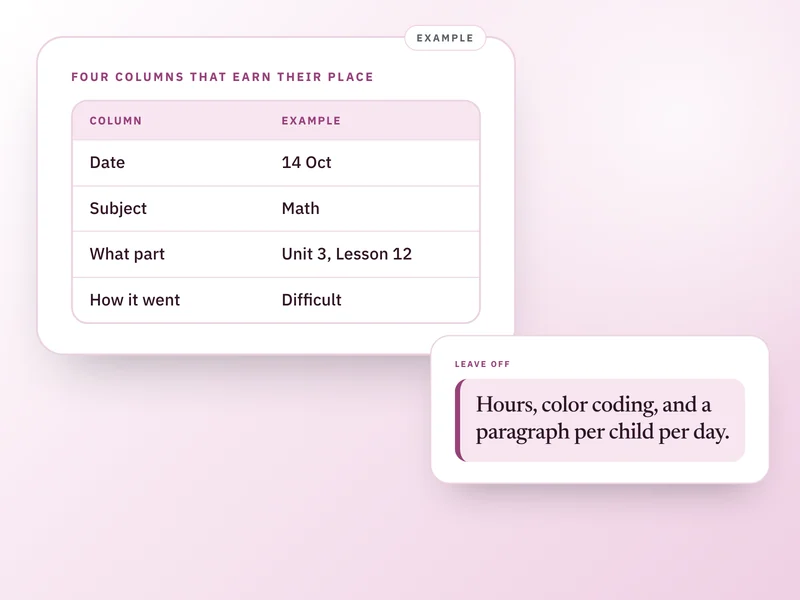
A homeschool record keeping template needs three columns you fill in every time: the date, the subject and where you are in it, and one word on how it went. A fourth column, for an occasional note or sample, only earns its place a few times a term. Copy the table below into whatever you already keep open each day.
This is for a parent who wants the smallest usable record, on paper, in a spreadsheet or in an app, not a full curriculum plan or a grading system. It cannot tell you what your state legally requires you to keep: see homeschool requirements by state for that, and confirm at your state's own source.
One child, one week, as an example
An example week, not a real family's. The date column can be any format you like, as long as it is consistent.
Mon, Sep 14
- Subject and where you are
- Math, Unit 3, Lesson 10
- How it went
- About right
Mon, Sep 14
- Subject and where you are
- Reading, chapter 6
- How it went
- Easy
Tue, Sep 15
- Subject and where you are
- Math, Unit 3, Lesson 11
- How it went
- Difficult
Wed, Sep 16
- Subject and where you are
- Writing, paragraph practice
- How it went
- About right
Thu, Sep 17
- Subject and where you are
- Math, Unit 3, Lesson 11 again
- How it went
- Easy
| Date | Subject and where you are | How it went |
|---|---|---|
| Mon, Sep 14 | Math, Unit 3, Lesson 10 | About right |
| Mon, Sep 14 | Reading, chapter 6 | Easy |
| Tue, Sep 15 | Math, Unit 3, Lesson 11 | Difficult |
| Wed, Sep 16 | Writing, paragraph practice | About right |
| Thu, Sep 17 | Math, Unit 3, Lesson 11 again | Easy |
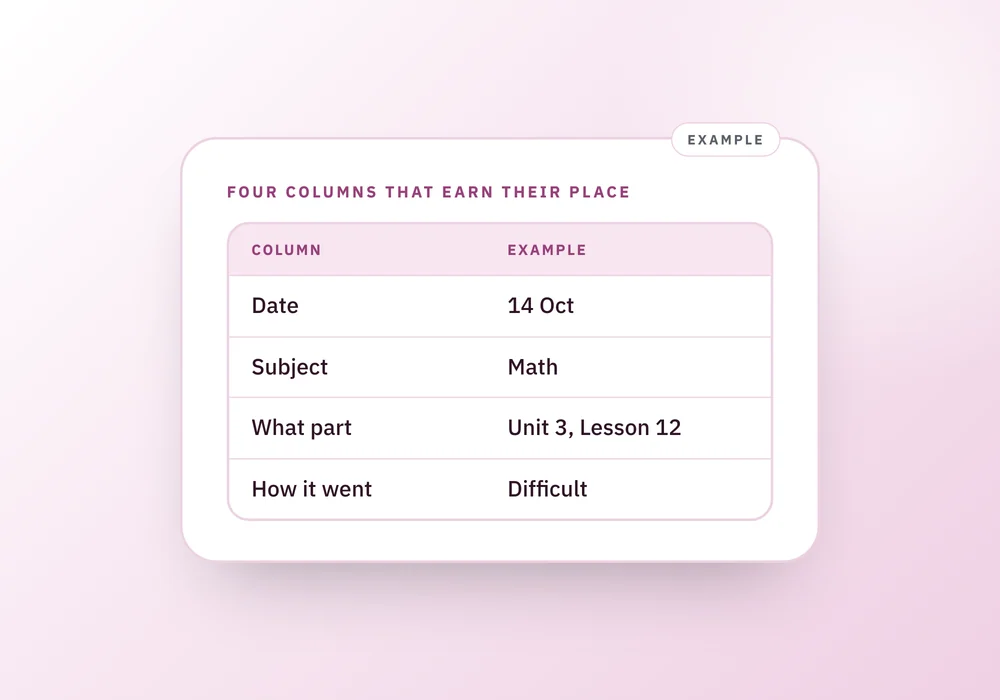
The three columns that earn their place
Copy this into whatever you already open every day. A notebook works fine. The format matters less than whether it gets filled in.
Date
- Example
- Oct 14
- Why it is there
- Anything that counts days, or asks for a log, is anchored to dates. Without one you have a story, not a record.
Subject and where you are
- Example
- Math, Unit 3, Lesson 12
- Why it is there
- One column, not two. This is what a state or an evaluator asks for: what was covered, and how far you got.
How it went
- Example
- Difficult
- Why it is there
- One word. Easy, about right or difficult. This is the column that helps you rather than an evaluator, and the one you will be glad of by spring.
| Column | Example | Why it is there |
|---|---|---|
| Date | Oct 14 | Anything that counts days, or asks for a log, is anchored to dates. Without one you have a story, not a record. |
| Subject and where you are | Math, Unit 3, Lesson 12 | One column, not two. This is what a state or an evaluator asks for: what was covered, and how far you got. |
| How it went | Difficult | One word. Easy, about right or difficult. This is the column that helps you rather than an evaluator, and the one you will be glad of by spring. |
The fourth thing, and when it earns its place
These are what make a record persuasive rather than merely complete. A few times a term is plenty. None of them belong in the daily three columns above.
5 things to do
Ticks are for this visit only. Nothing here is saved anywhere.
What to leave off, and why
Hours, unless your state's note says otherwise. Most do not ask for them, and logging time turns a thirty-second entry into a two-minute one.
Color coding. It is a nice project to design and a hard habit to keep up, and it is a common reason a whole system gets dropped by the second month.
A written paragraph per child, per day. Almost no one keeps that up past the first few weeks, and a plain record you keep all year is worth more than a detailed one you keep for three.
Paper, spreadsheet or app
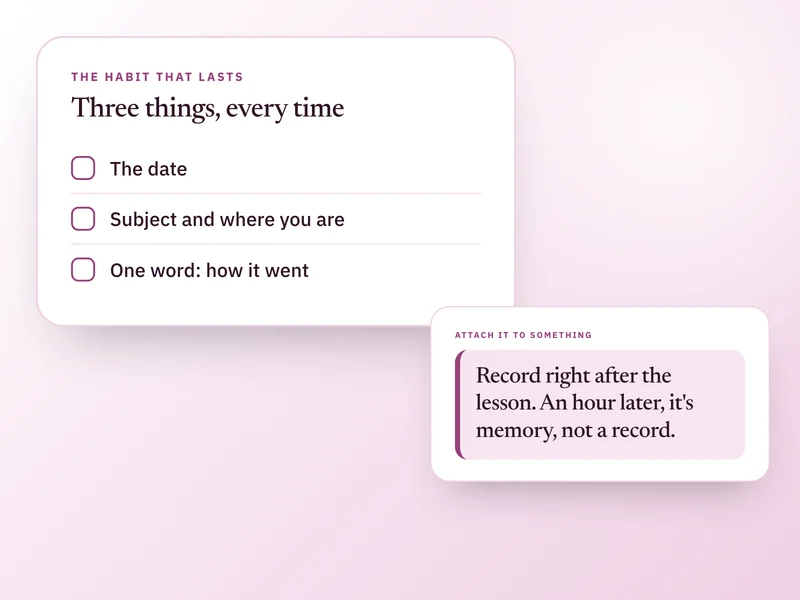
All three work. The real question is which one is open when the lesson ends, because a record made an hour later is a record made from memory, not from the lesson.
If you are not sure, start on paper. It costs nothing to set up and travels to wherever the lesson happens, at the table, in the car, on a walk. Move to a spreadsheet or an app later only if searching or totals become something you actually need.
Check what your state asks before you build anything elaborate
Eight states, in our summary, file nothing with the state at all. Nine sit in our High group, where a portfolio, a formal assessment or approval of your plan is part of the picture, and that is worth building toward if you are one of them: see what a portfolio actually needs in what actually goes in a homeschool portfolio.
Building for the strictest standard when your own state asks for nothing is a weekend spent on paperwork no one will ask to see.
Questions people ask
Do I need to write down how many hours we spent on each subject?
Only if your state's summary says it counts hours, and few do. In our summary, most states that track anything track days or a log of what was covered, not minutes. Logging time turns a fast entry into a slow one, for information almost no state actually asks for. Check homeschool requirements by state for your own state's level if you are not sure.
Do I need to record a grade or a percentage for each entry?
No. The one-word column, easy, about right or difficult, is there for you, so you can see later which subjects keep coming up as difficult. It is not a grade, and no state summary in our table asks for one. Keep any percentage or grade from a curriculum's own test separate, if it has one.
What if my child does a subject with someone else, like a co-op?
Write it the same way: date, subject and where you are, how it went. There is no separate column for who taught it. Add that detail to the notes column only when you want it for yourself, since neither states nor evaluators ask who ran a particular lesson.
Should I keep a separate template for each child?
Yes, once you have more than one. A shared page mixing two children's entries is hard to read back, and harder still to hand to an evaluator, who wants one child's year, not two children's interleaved. File by child from the start rather than splitting a shared page later.
Is paper or an app better for a homeschool record keeping template?
Either works, and the right answer is whichever one is already open at the end of a lesson. Paper needs no setup and travels wherever the lesson happens. An app or a spreadsheet earns its place once you want to search entries or add up totals, usually somewhere past a hundred rows in.
What the Companion does with these three columns
Homeschooling Companion is built around the same three things, not the extra ones. Tap a subject done on the Today screen and it dates itself, keeps the subject and position you typed in for it, the same Math, Unit 3, Lesson 12 shape as the table above, and asks one optional question: how did it go, with easy, about right or difficult as the only answers. Add an occasional note in your own words on the Record tab, choose whether it goes on the printed page or stays private, and print a record per child when you want one. See it on the Homeschooling Companion page.
Sources and how we checked
- HSLDA, Homeschool Laws By State: Backs the general point that few states require logging hours and that requirements vary by state.Checked 26 September 2026.
- TheHomeSchoolMom, Homeschool Record Keeping: Backs the practice of keeping a running log, dated samples and a subject list as the core of a usable record.Checked 26 September 2026.
- Pennsylvania Department of Education, Home Education Program: Example of a state where a log, a portfolio and test results are all part of the picture, used to illustrate the strictest end of the scale.Checked 26 September 2026.
Where to go next
 If this is where you areA simple homeschool record keeping system you will keepFor the habit behind the columns, this covers keeping entries under a minute and what to do after a bad week.
- Homeschool record keeping for multiple children
With more than one child, this shows how to file by child and log shared lessons once per child.
- Homeschool reading log: three columns, quit books included
Books need their own list. This gives the three-column reading log, including books your child quit.
- Homeschool requirements by state: what records to keep
Check what your state expects you to keep before you settle on a format, with all 50 states and DC in one table.