Don't start over. Find the last thing you finished, write one line saying where you got to, name the smallest piece that comes next, and do only that piece. Re-reading everything first feels responsible and mostly delays you.
This is for the half-finished form, claim, application or clear-out, the admin kind of project. It can't tell you whether the thing deserves finishing, but step three below helps you decide that quickly.
Why the second start is harder than the first
On day one you had a task. Six weeks later you have the task, plus the job of working out what you already did, plus a feeling about having stopped. You may spend twenty minutes finding out whether you sent the email, which pages are filled in, and where the reference number went. That job is dull, and a part of you knows it's waiting, which can be enough to keep the folder shut.
So the aim of a restart is small: get the reconstruction down to one written line and one next piece. Nothing more ambitious than that.
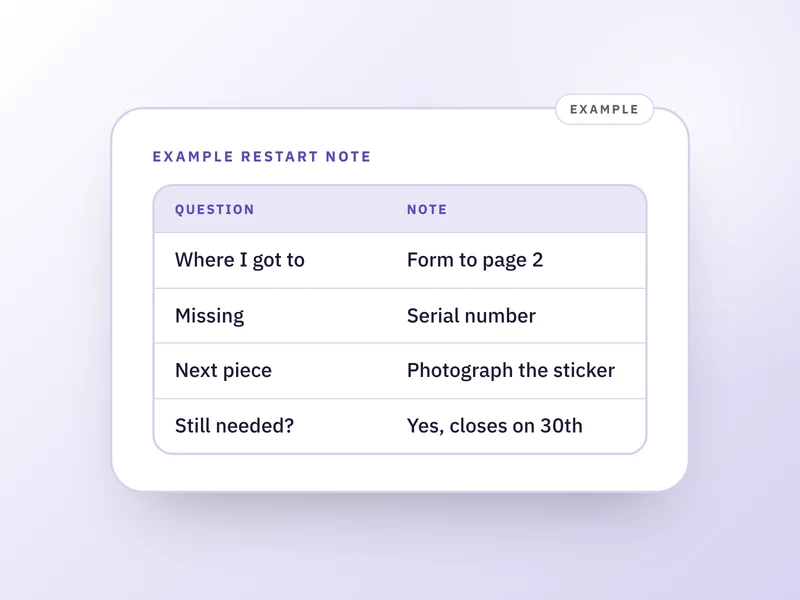
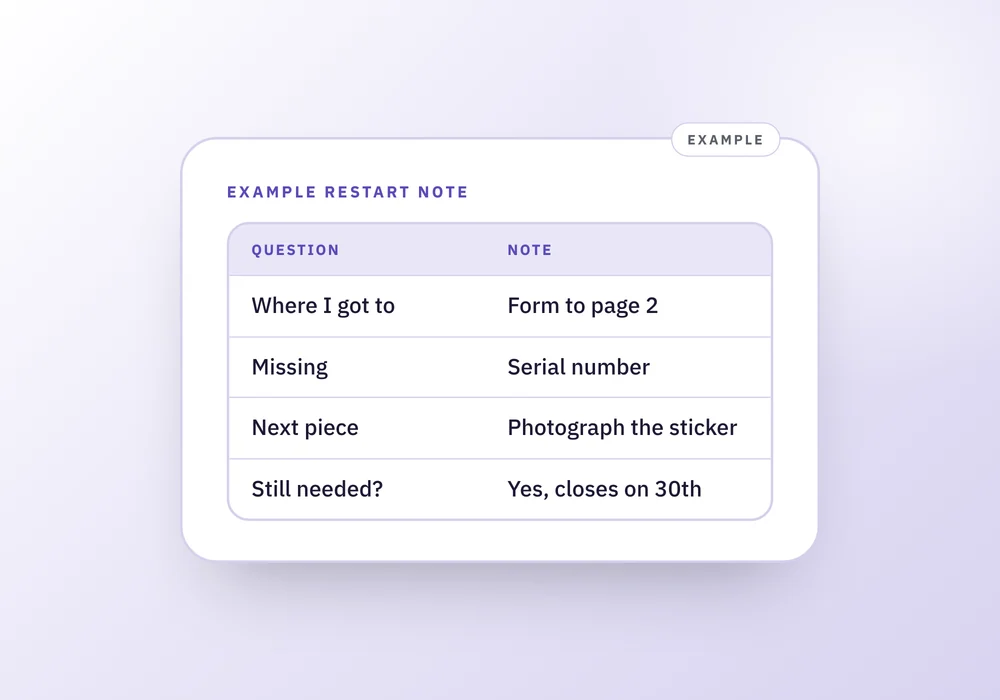
Example: a restart note, filled in
An illustration, not a real case. Say you started a warranty claim on a dishwasher six weeks ago and stopped.
Where did I get to?
- What the note says
- Form filled in to page 2. Receipt photographed but not attached.
Was anything missing?
- What the note says
- The serial number. It's on a sticker inside the door.
Smallest next piece
- What the note says
- Open the door and photograph the serial number sticker.
Still needed?
- What the note says
- Yes. The claim window closes on the 30th.
| Question | What the note says |
|---|---|
| Where did I get to? | Form filled in to page 2. Receipt photographed but not attached. |
| Was anything missing? | The serial number. It's on a sticker inside the door. |
| Smallest next piece | Open the door and photograph the serial number sticker. |
| Still needed? | Yes. The claim window closes on the 30th. |
How to restart, in order
Twenty minutes is plenty for the first sitting. You can stop earlier.
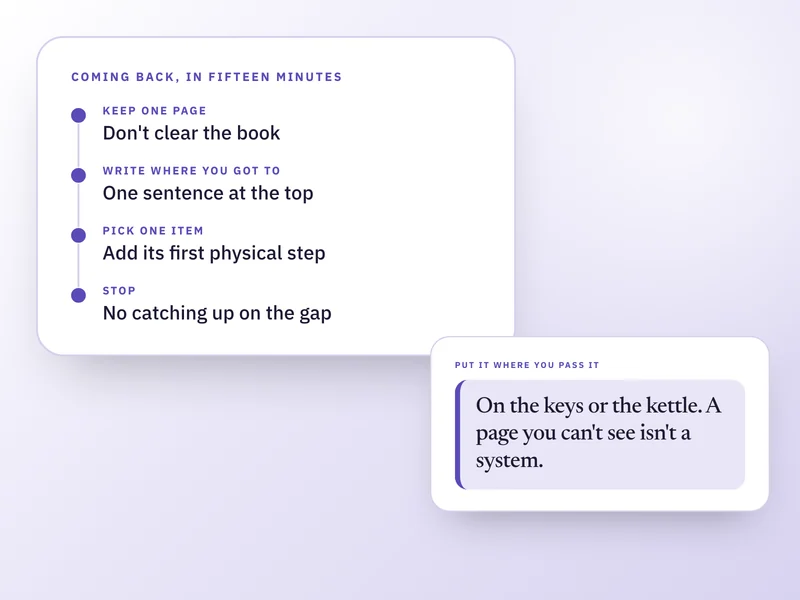
- Put out what you already have. The form, the emails, the receipt, whatever you did last time, all where you can see it. Don't read it yet.
- Write where you got to, in one line. Where you stopped inside the task, not what the task is. If you can't tell, look for the newest thing you produced: the last email sent, the last page filled in.
- Check whether it still needs doing. Ask three questions: is anyone waiting on it, does it have a date that has passed or is coming, and would you be glad to have it done? If all three are no, letting it go is a decision, so write "dropped on [date], because [reason]" and close it.
- Look for what was missing last time. A password, a document that never arrived, an answer someone else owed you. If it's still missing, getting it is your real next step, and it's often a short call or email. See first physical step: 20 examples for wording that step.
- Name the smallest piece and do only that. Small enough that starting it isn't a decision: find the paperwork and put it on the desk, photograph one sticker, write the first line of the email.
- Before you stop, leave the note for next time: where you got to, the next piece, and anything you learned that isn't written elsewhere, such as who you spoke to.
How long it has been changes the first step
A week or two
- What to add
- Read your last note and go straight to the next piece.
A month or so
- What to add
- As above, and leave yourself a note at the end of the sitting so next time starts from it.
Longer than that
- What to add
- Do the still-needed check before you spend any effort. Dates may have passed.
No idea
- What to add
- Look for the newest date on any paper or email. Treat it as a month, then follow that row.
| Time away | What to add |
|---|---|
| A week or two | Read your last note and go straight to the next piece. |
| A month or so | As above, and leave yourself a note at the end of the sitting so next time starts from it. |
| Longer than that | Do the still-needed check before you spend any effort. Dates may have passed. |
| No idea | Look for the newest date on any paper or email. Treat it as a month, then follow that row. |
When it doesn't work
The most common snag is choosing a piece that is too big. "Finish the form" is a project. "Find the serial number" is a piece. If you sit down and nothing happens, shrink it, or try what to do in the next ten minutes when you're stuck.
The second snag is a passed date. Some things do get harder after a delay: a claim window closes, a form expires. Nothing here can reopen one. The move is to contact whoever runs the process and ask what's still possible, and how to deal with something you have put off has lines for that.
The third is that the project stopped because the system around it broke, not the task. If your planner or list went quiet at the same time, see why you abandon planners and how to come back, and if the pile is many things, start with how to start when everything is overdue.
Questions people ask
How do I restart something I stopped halfway?
Write one line about where you got to, name the smallest piece that comes next, and do only that. Skip re-reading from the beginning, because you'll find out within a minute if you needed the background. Then leave a note for next time so the restart isn't repeated.
Why is it so hard to go back to something I abandoned?
Returning means facing the task, rebuilding where you stood, and any feeling you attached to stopping. That rebuilding can be tedious enough to keep you away. A written note of where you got to removes most of it, which is why the steps above start there.
Should I start over or continue where I left off?
Continue, unless what you did is now wrong. Starting over makes the whole thing feel larger than it is. Check the parts you finished only if a date or fact may have changed, such as an amount or a deadline, and leave the rest alone.
How do I know whether to give up on it instead?
Ask if anyone is waiting on it, whether it has a date, and whether you'd be glad to have it done. Three no answers mean you can close it on purpose. Write down what you decided and why, so it stops nagging as an open question.
How do I stop leaving things half done?
You won't stop entirely, and that's fine. What you can change is what you leave behind: where you got to and the next piece, in one or two lines. A weekly reset is a light way to look at what's stalled.
Where a Companion can hold this for you
Alongside, the ADHD Life Companion, has a walkthrough called Pick something back up. It asks how long it has been, where you got to, whether anything was missing last time, and what the smallest piece is. Then it shows a short list of what to have out before you start. Your answers are kept, so next time you see them instead of working it out again. If you leave halfway, reopening the item puts you back at the exact question with earlier answers intact. It holds your own notes only, not documents or photos.
Where to go next
 If this is where you areWhy you stop using planners, and how to come backIf the project stalled because the system around it broke, this shows what usually fails and how to keep one page of it.
- A weekly reset that survives a bad week
A ten minute weekly check-in is a light way to keep a restarted project moving, even after a bad week.
- First physical step: 20 examples for stuck admin tasks
Twenty examples of a first step you could see happen, useful for the small move that gets a stopped project going again.
- How to deal with something you have put off for months
If the shame of the gap is what keeps you away, this gives three lines to name the delay and get to the practical question.