To find every subscription you pay for, pull twelve months of statements for each card and account, then look for the same merchant at the same amount, plus single charges that land once a year. Next, check the places a statement can't explain: your Apple or Google subscription list, PayPal automatic payments and your email receipts.
This is for anyone who suspects they pay for more than they remember. It can't find charges on a card or account you don't have statements for, cash payments, or a subscription billed to someone else's Apple or Google account.
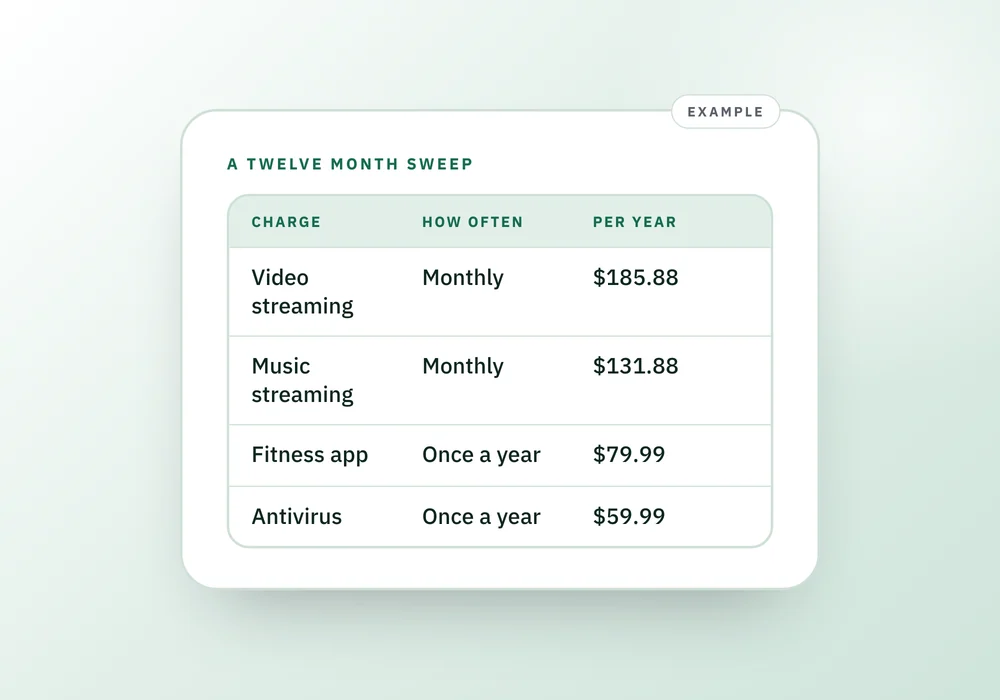
An example sweep, with the yearly cost of each
Example only, not real data. Say a year of statements turns up six repeating charges. The monthly figures look small. The yearly column is the one to decide on.
Video streaming
- How often
- Monthly
- What you see
- $15.49
- Cost per year
- $185.88
Music streaming
- How often
- Monthly
- What you see
- $10.99
- Cost per year
- $131.88
Cloud storage
- How often
- Monthly
- What you see
- $2.99
- Cost per year
- $35.88
Photo editing app
- How often
- Monthly
- What you see
- $4.99
- Cost per year
- $59.88
Fitness app
- How often
- Once a year
- What you see
- $79.99
- Cost per year
- $79.99
Antivirus
- How often
- Once a year
- What you see
- $59.99
- Cost per year
- $59.99
Total
- How often
- What you see
- Cost per year
- $553.50
| Charge | How often | What you see | Cost per year |
|---|---|---|---|
| Video streaming | Monthly | $15.49 | $185.88 |
| Music streaming | Monthly | $10.99 | $131.88 |
| Cloud storage | Monthly | $2.99 | $35.88 |
| Photo editing app | Monthly | $4.99 | $59.88 |
| Fitness app | Once a year | $79.99 | $79.99 |
| Antivirus | Once a year | $59.99 | $59.99 |
| Total | $553.50 |
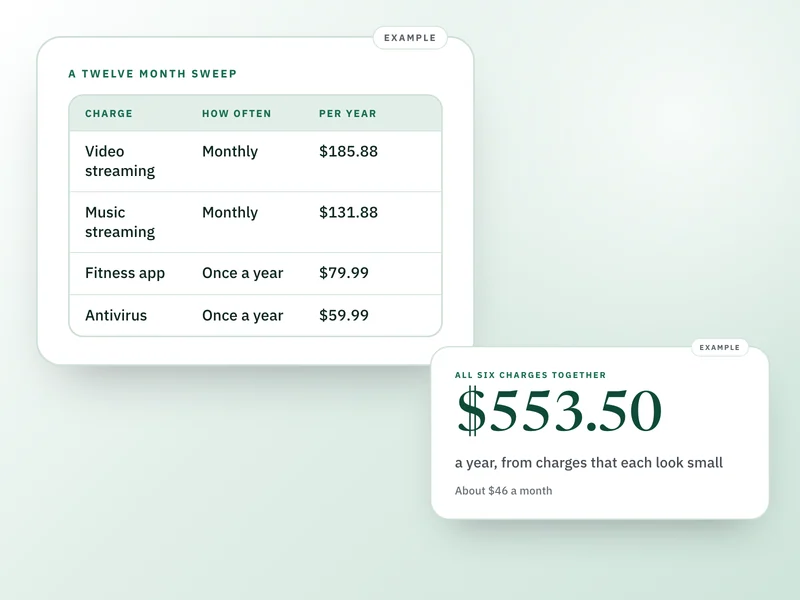
Nothing in that list is outrageous, and that's the point. The total is about $46 a month, and you'd only see the two annual charges by looking back a full year. Three months of statements would have missed both.
How to run the sweep
Set aside an hour. Use a spreadsheet or a sheet of paper with four columns: name, amount, how often, where it's billed.
- Download twelve months of statements for every credit card, debit card and checking account you've used. Most banks let you pick a date range or download a CSV. If yours only keeps a few months online, ask for older statements.
- Search or scan each statement for repeats. Sorting by merchant name puts the same company next to itself. Write down anything that appears two or more times at the same or a similar amount.
- Scan again for one-off charges that look like a subscription: a round-ish amount with a service name, in the same month as a year earlier. These are your annual renewals. If you have only twelve months, a charge that appears once is a candidate. Note it and cross-check it against the app store lists below.
- Open your Apple subscription list. On iPhone, go to Settings, tap your name, then Subscriptions. Apple's own guidance is that subscriptions bought with a different Apple Account won't appear there, so repeat this on any other account you've used.
- On Android, go to Settings, Google, your name, Manage your Google Account, then Payments and subscriptions, then Manage subscriptions. Switch Google accounts and look again if you use more than one.
- Log in to PayPal on the website and go to Settings, then Payments, then Subscriptions and saved businesses (some accounts label it Automatic payments). Every merchant allowed to bill you appears there.
- Search your email for the words receipt, invoice, renewal, subscription, trial, and your billing email address. Look at the last twelve months and note any sender you haven't written down yet.
- Add up the yearly cost of each one. Monthly charges times twelve, annual charges as they are. Then mark each as keep, unsure or cancel.
What the line on your statement usually means
Statement wording varies by bank and merchant, so treat these as patterns to look for, not exact strings.
Apple.com/bill
- What it usually is
- Apple billing for an App Store subscription, iCloud or Apple services
- Where to look next
- Settings, your name, Subscriptions, or search email for receipts from Apple
Google followed by a service name
- What it usually is
- A Google Play or Google service subscription
- Where to look next
- Google Account, Payments and subscriptions
PayPal followed by a company name
- What it usually is
- A merchant billing you through PayPal
- Where to look next
- PayPal, Settings, Payments, automatic payments
Amazon or AMZN with Digital, Prime or a code
- What it usually is
- Prime, a digital purchase or an Amazon channel
- Where to look next
- Your Amazon account, then the memberships and subscriptions page
A name you don't recognize
- What it usually is
- Often the parent company or a payment processor
- Where to look next
- Search the exact text, then check your email for that date
The same round amount every month
- What it usually is
- Almost always a subscription
- Where to look next
- Match it to a receipt in your email
| What the line looks like | What it usually is | Where to look next |
|---|---|---|
| Apple.com/bill | Apple billing for an App Store subscription, iCloud or Apple services | Settings, your name, Subscriptions, or search email for receipts from Apple |
| Google followed by a service name | A Google Play or Google service subscription | Google Account, Payments and subscriptions |
| PayPal followed by a company name | A merchant billing you through PayPal | PayPal, Settings, Payments, automatic payments |
| Amazon or AMZN with Digital, Prime or a code | Prime, a digital purchase or an Amazon channel | Your Amazon account, then the memberships and subscriptions page |
| A name you don't recognize | Often the parent company or a payment processor | Search the exact text, then check your email for that date |
| The same round amount every month | Almost always a subscription | Match it to a receipt in your email |
Charges that show the store and not the service
If a charge shows the store and not the service, the receipt is the fastest fix. Apple says to search your email for a receipt or invoice from Apple to see which account and which subscription it belongs to. If you find a receipt but the subscription isn't in your list, the company on the receipt may bill you directly, so contact that company.
What can go wrong
A free trial that turned into a paid plan looks like a normal charge on the first billing date, weeks after you signed up. The FTC advises checking your card statements and marking your calendar for a trial's deadline, because once it passes you may be paying. If you find one, check the date of the first charge against your email from the sign-up.
Old cards are the other trap. If you replaced a card, some merchants keep charging the new one and some don't. Go through the statements for the card you stopped using, not only the current one.
Shared households add a third. If your partner or a family member holds the Apple or Google account, their list has subscriptions yours doesn't. Sit down together and compare, because two people can pay for the same thing without knowing.
Limits of the method
A statement sweep is only as good as the accounts you include. If you can't get to twelve months, do the months you can and set a reminder to repeat it when the older ones come around. When you find something you don't want, the steps for ending it are in how to cancel a subscription that is hard to cancel, including scripts for when the company pushes back.
If you can download a file from your bank, turning a bank statement CSV into a budget shows how to check it and sort charges without retyping them.
Questions people ask
How do I find all my subscriptions?
Gather twelve months of statements for every card and account, look for repeating merchants and once-a-year charges, then check Apple, Google Play, PayPal and your email receipts. Write each one down with its amount, how often it bills and where it's billed. It takes about an hour.
How do I find hidden subscriptions on my bank statement?
Sort by merchant so repeats sit together, then look for identical or near-identical amounts each month. Also look for one charge a year with a service name. Lines that show Apple.com/bill, Google or PayPal are billing platforms, so you'll need to check those accounts to see the actual service.
How do I see my subscriptions on my iPhone?
Open Settings, tap your name, then tap Subscriptions. Tap any item to see its renewal date and price. Subscriptions bought with a different Apple Account won't show, and you can't manage a family member's, so sign in with the account that made the purchase.
How do I find subscriptions on Android?
Go to Settings, Google, your name, Manage your Google Account, then Payments and subscriptions and Manage subscriptions. If one is missing, it may be on a different Google account, so switch accounts and check again. Subscriptions billed through PayPal or directly by a company won't be listed there.
How do I find subscriptions charged through PayPal?
On the PayPal website, go to Settings, then Payments, then Subscriptions and saved businesses, or Automatic payments. Select a merchant to see its details. You can cancel the automatic payment or change the backup payment method from that page.
What if I find a charge I don't recognize?
Search the exact text from the statement, then check your email for a receipt around that date. If it still isn't yours, contact the merchant first. The FTC advises that if you were charged without consent and they won't refund you, you can dispute the charge with your card company.
Keeping the list after the sweep
Once you have the list, the hard part is keeping it current. In Personal Finance Companion, each subscription gets its own record: amount, whether it bills monthly, annually or on a custom cycle, the renewal date, and a decision (keep, reviewing, planned cancellation or canceled). The Subscriptions area shows a monthly total, with annual charges divided by 12, and a kept annual subscription appears in Attention when it's within 14 days of renewing and you open the app.
It doesn't find subscriptions for you. You can paste your list as notes and review each line before it's saved, but a bank CSV imports transactions and doesn't turn them into subscriptions, so you enter those yourself. Personal Finance Companion is where the list lives after the sweep. If you only want to know what's safe to spend this month, the free Monthly Money Reset does that without a subscriptions area. Once you have the list, what to write down for every subscription covers the fields worth keeping.
Sources and how we checked
- Apple Support: See, change or cancel your subscriptions: iPhone steps, receipts search, other Apple Accounts not listedChecked 26 September 2026.
- Google Play Help: Cancel, pause or change a subscription on Google Play: Android path to Manage subscriptions; check other Google accountsChecked 26 September 2026.
- PayPal Help: Automatic payments: PayPal Settings, Payments path; cancel or change backup methodChecked 26 September 2026.
- FTC Consumer Advice: Getting in and out of free trials, auto-renewals and negative option subscriptions: check statements, trial deadlines, dispute with card companyChecked 26 September 2026.
Where to go next
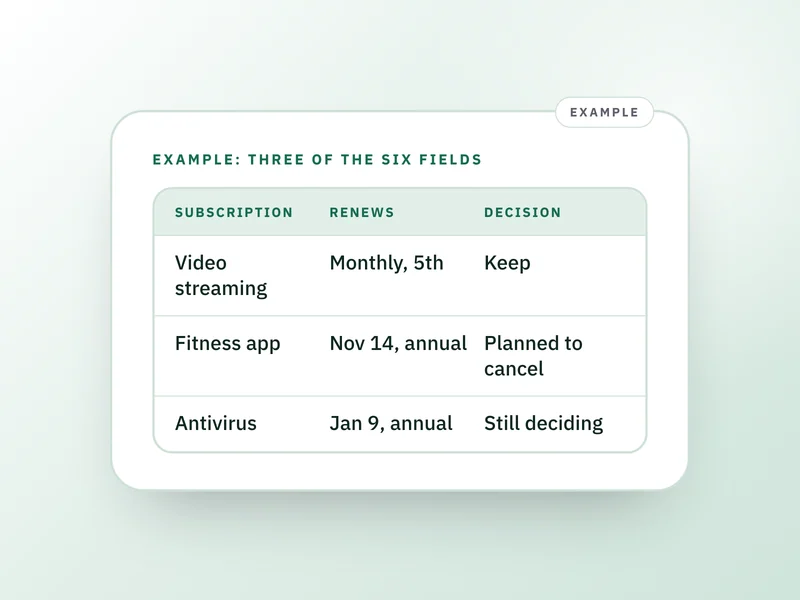 If this is where you areSubscription tracker: the six fields that catch renewalsFound them all? Write down six fields for each one so the next renewal date never catches you out.
- How to cancel a subscription that is hard to cancel
Spotted one you no longer use, and it is hard to stop? Here are the cancel steps and scripts.
- How to find $200 this month without a big life change
Cutting a forgotten charge is one of the quickest ways to free up cash this month, ranked against other small moves.
- How to import a bank statement CSV: check the file first
If your bank lets you download a file, this shows how to check it and sort charges without retyping.