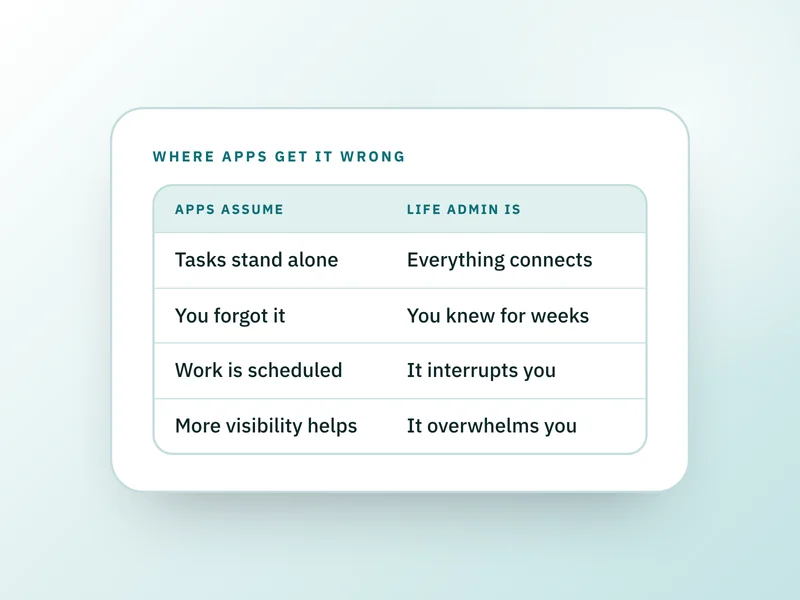
Productivity apps are built for knowledge work: tasks with owners, boards that move left to right, projects with a deadline. Life admin doesn't behave like that. Its tasks are connected rather than independent, so a generic list can track that something exists without ever telling you that changing one thing breaks three others.
This is for anyone who has set up a board or a list for personal admin and watched it go stale within a month. It won't tell you which specific app to pick; the mismatch sits in the structure, not the brand, and switching tools rarely fixes it on its own.
One change, as an example
Say a flight moves by four hours. In a task app, that's one card with a new time on it. In real life, it also touches the airport transfer booked separately, the hotel's check-in window, a pet sitter's schedule, and a connecting flight with its own tight layover. The list only knows about the card you edited. It has no way of knowing the transfer exists at all, let alone that it now needs a phone call before the driver shows up at the wrong time.
Where the assumptions and the work part ways
A task is independent of the others.
- Life admin actually behaves like
- Almost everything connects to something else; move one date and several other things go wrong with it.
The hard part is remembering the task exists.
- Life admin actually behaves like
- You've usually remembered it for weeks already; the hard part is tracking what it's connected to.
Work happens in planned sessions.
- Life admin actually behaves like
- It arrives as an interruption, often during a call, a form, or a moment you didn't choose.
Seeing everything on one board helps you act.
- Life admin actually behaves like
- Seeing all of it at once is frequently what stalls you rather than what moves you forward.
| A task app assumes | Life admin actually behaves like |
|---|---|
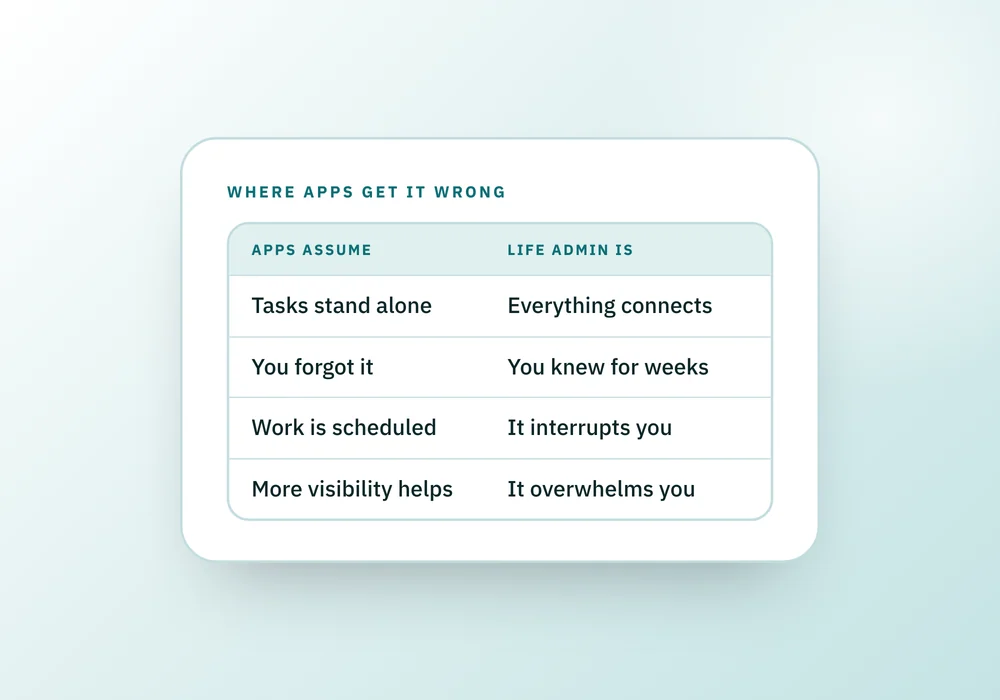
| A task is independent of the others. | Almost everything connects to something else; move one date and several other things go wrong with it. |
| The hard part is remembering the task exists. | You've usually remembered it for weeks already; the hard part is tracking what it's connected to. |
| Work happens in planned sessions. | It arrives as an interruption, often during a call, a form, or a moment you didn't choose. |
| Seeing everything on one board helps you act. | Seeing all of it at once is frequently what stalls you rather than what moves you forward. |
The upkeep that has no deadline
Every general-purpose tool needs feeding: categorizing, tagging, moving cards, archiving what's done. At a job that upkeep is part of the role and happens inside paid hours. For personal admin it's a second task with no deadline and no one checking, so it's usually the first thing dropped when a week gets busy.
Once the data is stale, the tool becomes worse than nothing, because it now answers confidently and wrong. A task board that still lists a subscription you cancelled months ago isn't neutral; it's actively misleading.
Interruptions cost more than the interruption itself
Life admin rarely arrives as a scheduled session. It shows up as a call while you're doing something else, a letter you open between two other things, a form due while you're mid-task on something unrelated. Research on task switching backs up why that costs more than the few minutes the interruption itself takes: workers who get pulled off a task can take close to half an hour to return to it at the same level of focus, and the switch itself raises the odds of a mistake. A tool that assumes admin happens in one dedicated block is planning for a session that, in practice, rarely comes.
What a tool for this actually has to do
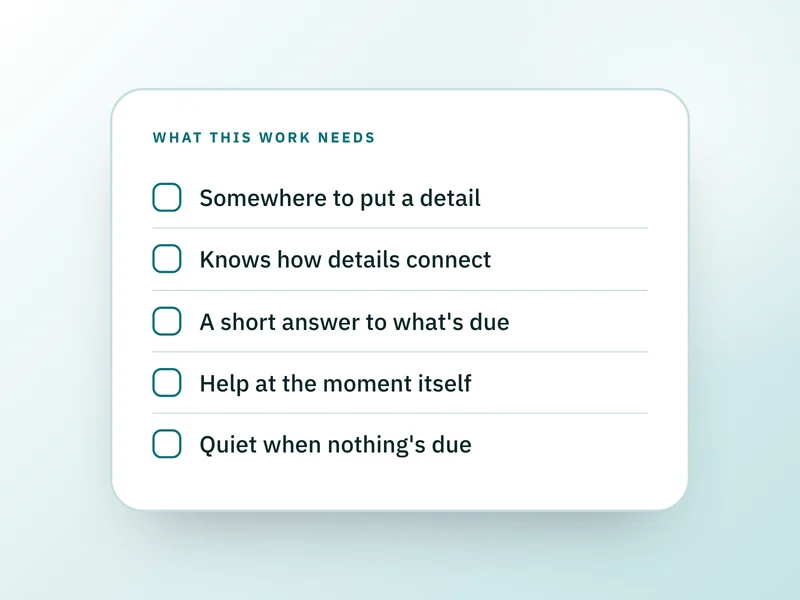
- Know what kind of thing each item is, not just that it exists, so it can show you what else a change touches.
- Work out what's due from stored facts and real dates, rather than asking you to rank a list by hand.
- Stay roughly accurate after being ignored for a month, because it will be, more than once.
- Say plainly when nothing is due, and mean it, rather than manufacturing a reason to open the app.
- Hold the connections between items across areas, not just a title and a due date.
Why this ends up needing more than one app
Knowing that a transfer depends on a flight, or that a warranty needs an annual service to stay valid, or that a nomination on a pension can override a will, requires knowing the domain those facts live in. A single generic board covering everything would have to encode all of that at once, which is how you end up with a tool that stores rows and understands none of them.
Questions people ask
Why do I abandon my to-do list app for personal tasks after a few weeks?
Usually because the upkeep, categorizing, tagging, moving cards, outweighs what the app gives back. That trade works at a job, where the tidying is part of paid time. For personal admin there's no one checking the board, so tidying is the first thing to slip, and once it's stale the app stops being trustworthy. More on that pattern in why you abandon planners and how to come back.
Is a shared calendar enough for household admin?
For dated events, mostly. A calendar is poor at anything without a date yet, at facts such as a policy number or a serial number, and at showing that two entries are related. It also has no way to say a week needs nothing from you, which is half of what this kind of work needs answered.
Do rewards like points or daily check-ins help you keep using an admin app?
Not for this kind of work. Gamified prompts assume the barrier is motivation, but personal admin often arrives during a bereavement, an illness or a move, when a counter of missed days offers nothing helpful. It reads as one more thing going wrong, and the more common outcome is deleting the app, taking whatever record existed with it.
Can a spreadsheet do what a life admin tool does?
It can hold facts well: dates, numbers, account details. What it can't do on its own is tell you that changing one cell should change three others, or work out what's due without a formula you build and maintain yourself. It scales with your own upkeep, the same limit as any general tool.
What should I look for instead of a generic productivity app?
Something built around the kind of thing you're tracking rather than a blank task, so it already knows how a service interval or a policy renewal behaves, and can tell you plainly when nothing about it needs your attention this week.
Where the Companion Series fits
The Companion Series takes the opposite approach: nine Companions across six life areas, each built around the kind of admin its area actually contains rather than a single board asked to understand everything at once. See the Companion Series.
Sources and how we checked
- Wikipedia: Interruption science: Summarizes research (including Gloria Mark's) finding workers take close to half an hour to resume a task after an interruption, and that switching tasks raises error rates.Checked 26 September 2026.
- Allison Daminger: The Cognitive Dimension of Household Labor (American Sociological Review, 2019): Defines cognitive labor as anticipating, identifying, deciding and monitoring, backing the point that admin requires domain knowledge a generic tool doesn't have.Checked 26 September 2026.
Where to go next
 If this is where you areWhat is life admin, and why does it feel so hard?If the mismatch is new to you, start with what life admin is, its three traits and who ends up carrying it.All guides